Release Notes – Hit-Online | March 2026
Invoices
Remove cost allocation per line
It is now possible to remove cost allocation directly at the invoice line level.

You can also select multiple lines and reassign them to another project.
This improvement makes it easier to handle corrections when projects or allocations change.
E-Invoice / PEPPOL
Several improvements have been made to electronic invoice management.
Add structured communication in PEPPOL XML
Structured communication is now included in the PEPPOL XML file.
This information is also automatically filled in when receiving a PEPPOL invoice.
Purchase order reference import
The purchase order reference is now imported from the XML file received from a supplier.
Bank account validation
An error is now displayed if no bank account is defined for the company’s main third party.
This helps prevent PEPPOL submission failures due to missing payment information.
VAT number validation
An error is generated when sending a PEPPOL document if the VAT number contains spaces or unauthorized characters.
Improved error display
The display of the error list during PEPPOL XML generation has been improved, especially on mobile devices.
View XML content of incoming invoices
For incoming PEPPOL invoices, it is now possible to view the XML content line by line.
This allows users to review the data used in the file (such as VAT rates) and complete missing information if it could not be automatically determined.
This feature is especially useful when no PDF is provided by the supplier.
Quotes
Automatic copy of emailed quotes
When sending a quote by email from Hit-Online, it is now possible to define a BCC address in the settings.
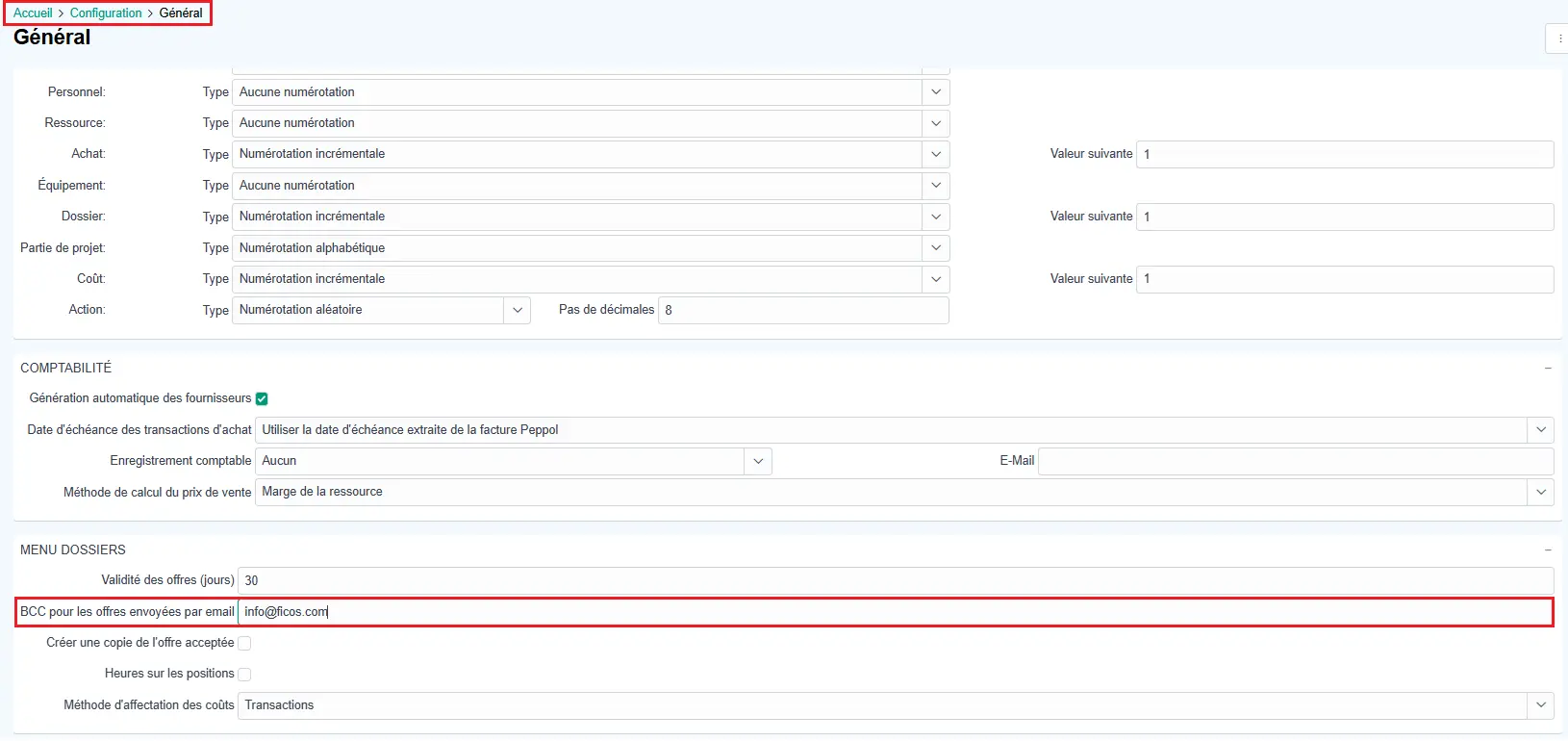
All sent quotes will automatically be copied to this address as a blind copy, allowing you to:
- automatically archive sent quotes
- track outgoing emails in a centralized inbox
Actions
Notification when an action is reopened
A notification is now sent when an action assigned to you is reopened.
This ensures you are immediately informed when a task requires your attention again.
Customizing the action schedule
Each user can now configure which people are visible in their action schedule.
You can:
- add collaborators to your schedule
- remove them
- adjust the display based on your needs
Planning
Additional information in projects
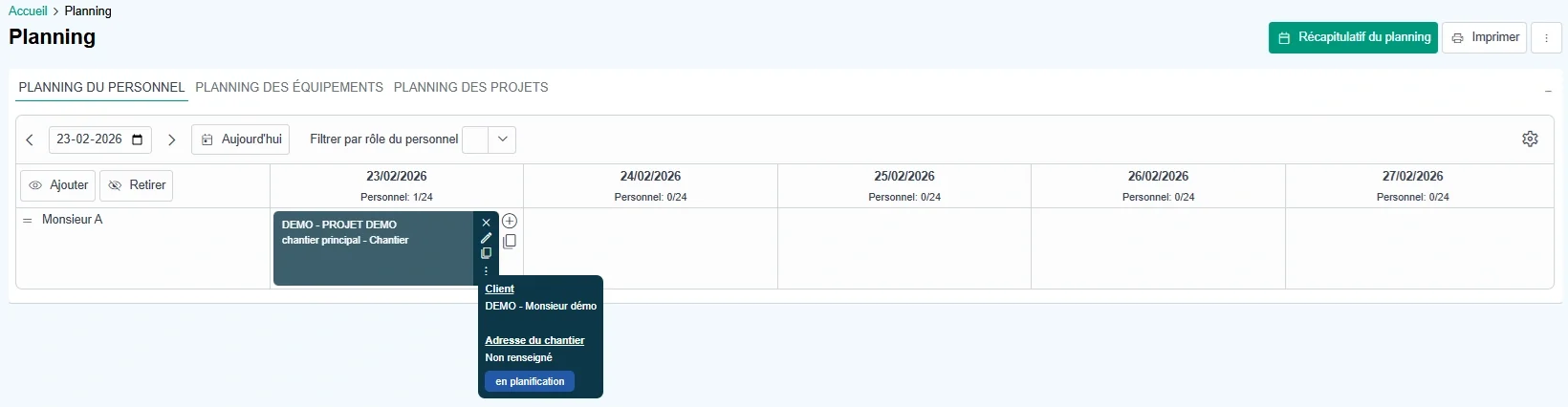
Project and sub-project tags are now visible in the planning tooltip.
Sub-project sorting
A sorting option by creation date has been added in the sub-project selection window to make searching easier.
Interface and usability
Improved column sorting
The header control (clicking on a column header) has been redesigned to improve readability.
The following options are now grouped in a dropdown menu:
- unsorted
- ascending
- descending
Quick column hiding
From this same menu, it is now possible to hide a column directly, making it easier to customize table views.
Column resizing
It is now possible to resize all columns, providing greater flexibility to adapt the display to each user’s needs.
Make your construction company future-ready
Trust Hit-Online, the software made by construction professionals for construction professionals.
Get Free Demo