Release Notes – Hit-Online | April 2026
Release Notes – Hit-Online | April 2026
Updated on 13/04/2026
We are pleased to present the latest updates to our solutions.
This release introduces numerous improvements in invoicing, project management, planning, and overall performance.
Transactions Module – Invoicing
-
When receiving an electronic invoice, if no PDF file is included, the Preview button now allows you to generate an informative PDF to view the invoice details.
-
In the general configuration, it is now possible to choose which documents are automatically sent to the accountant: XML – PDF – or both
-
It is also possible to disable the printing of the payment QR code on invoice PDFs
Go to Configuration > Advanced and select Disable QR code printing
-
When sending invoices by email, it is now possible to enter a custom message at the time of sending
Tip: if your message is repetitive, go to Configuration > Text blocks and create a reusable template
-
After validating an invoice, the Print button has been disabled; the invoice and its attachments can now be viewed via the Preview button
-
The Peppol sending workflow has been improved to follow these logical steps:
- XML file being generated
- XML file successfully generated
- Invoice sent to Peppol
-
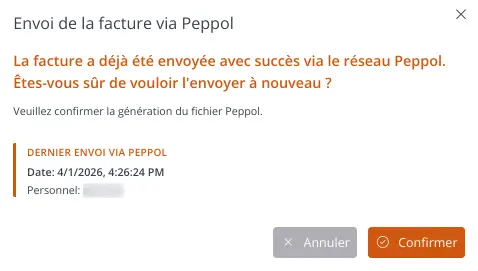
A warning message is now displayed if the invoice has already been sent
-
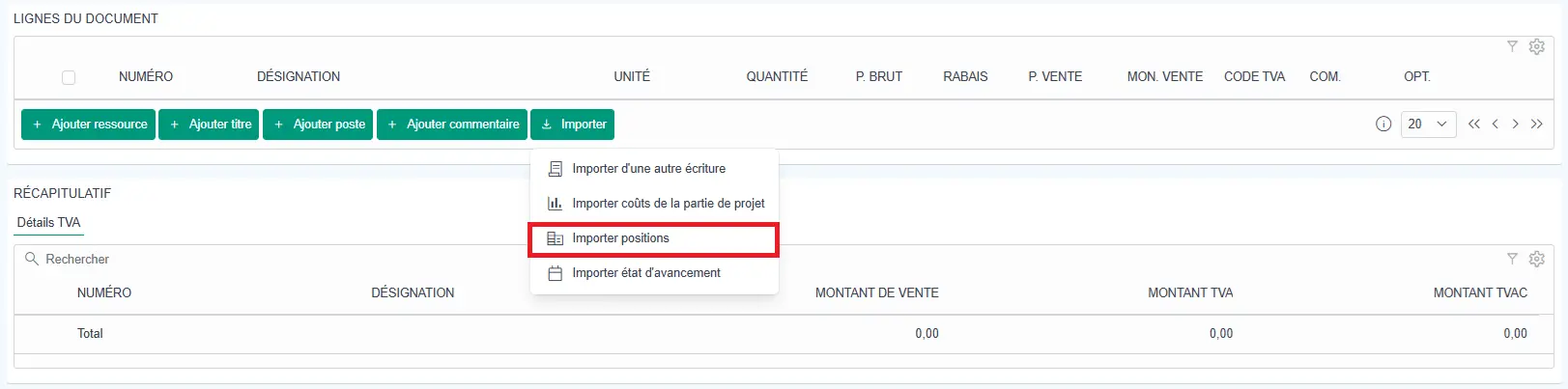
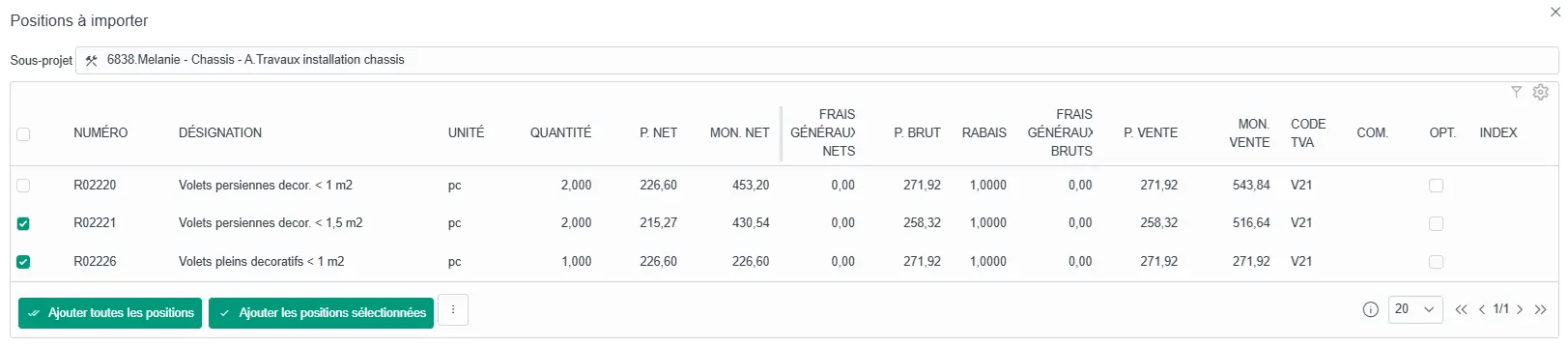
When invoicing from a project, you can import project positions and choose which lines to include
Click on Import > Import positions
Projects Module – Offers
-
When clicking on the Projects module, the screen is now divided into three tabs to display projects, offers, and work items
Items are automatically sorted into the correct tab based on the project status

-
When selecting a project part (in a report or an action), an icon has been added to distinguish between offers and work items
Planning Module
-
Planning printouts have been improved for better readability
A new monthly planning print report has also been added -
A new planning view now allows resources to be scheduled on a daily view
This feature is particularly useful for technicians
It is now possible to:
- schedule time slots
- search within the planning
- create a new project part directly from the daily planning
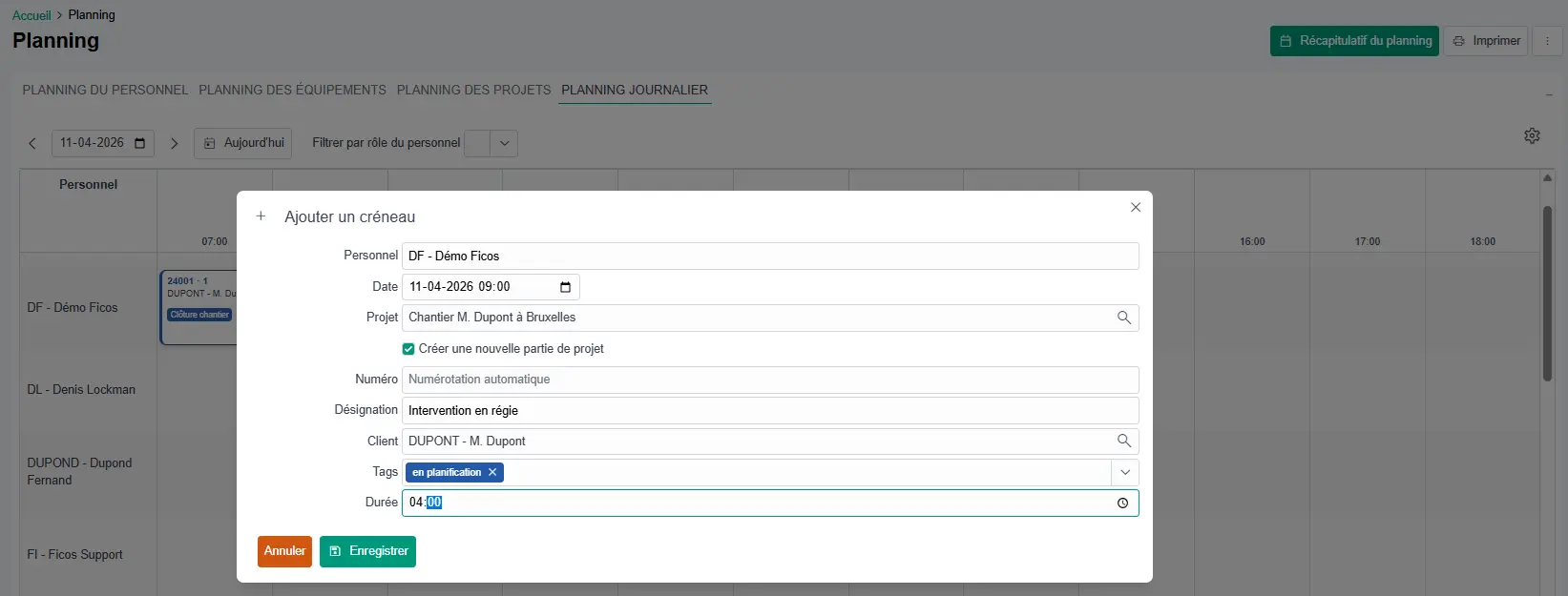
-
The planning also displays items based on the color of the tags associated with the project
-
On mobile, readability has been improved to facilitate navigation:
opening projects, creating reports, navigation, notifications, etc.
Staff Module
- Time tracking is now limited to 24 hours per day to prevent duplicate entries
General Improvements
-
New dashboards are available on the home screen
They are displayed only if the user profile includes the corresponding modules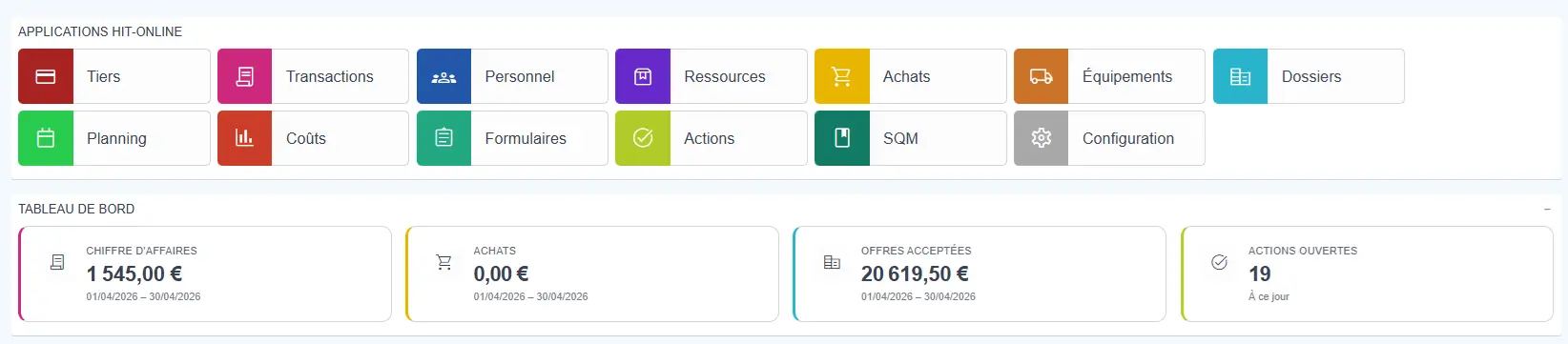
-
It is now possible to export data to Excel from list views
(invoices, positions, clients, resources)Steps:
- Select the rows using the checkbox on the left
- Click on Copy to clipboard
- Paste into Excel or another program

-
In invoice or offer lines, the description now automatically wraps to the next line for better readability
-
The user password reset process has been improved for more efficient handling
Conclusion
With these updates, Hit-Online continues to support its users with a reliable, evolving solution designed for real-world field operations.
👉 Register for our webinar on April 20 at 6:30 PM to discover these new features in action.
If you don’t yet have an account, you can create one for free via
Create your free account.
For any questions, our support team is at your disposal, or visit your Hit-Online help center.
See it for yourself - in 30 minutes
We show you Hit-Online live - tailored to your trade and your situation. No sales pitch, no pressure. Just an honest demo so you can see whether Hit-Online is the right fit for your business.