Release Notes: May 2026 Update

The May 2026 version introduces a new set of improvements and functional developments for Hit-Online solutions. This update is part of a continuous effort to optimize the user experience, modernize interfaces, and enrich industry-specific features.
On the agenda: ergonomic improvements, developments around e-invoicing (PEPPOL), navigation optimizations, and several new features aimed at simplifying the daily work of users.
Transactions
Main PDF Layout
Before validating a sales invoice, it is now possible to choose the PDF layout to be used. Benefits:
- Quick template selection before generation.
- Greater flexibility for different types of clients or documents.
- More flexibility when sending or printing different invoice versions.
- Simplified preview of the final result.
Added Structured Communication for Sales Invoices
For sales invoices, a structured communication can now be generated automatically. This feature is only activated for companies active in Belgium. Benefits:
- Facilitates payments.
- Reduction of entry errors. “Go to the Configuration menu | General | in the Accounting section, choose the Belgian Structured Communication option.”
Visualization of XML Line Details
XML details are now accessible directly from the new consultation/modification window by clicking on the line. Benefits:
- Faster access.
- Better visibility of the functionality.
- Improved ergonomics.
Addition of Warnings on Invoice Lines
Warnings are now displayed directly at the invoice line level. For example: if the VAT code entered on the invoice does not match the VAT rate in the XML.
Duplication of Invoices
Added the ability to duplicate an invoice to facilitate the quick creation of similar documents. “Go to the top menu of the invoice and click the Duplicate Transaction button.”
Export Transactions to a ZIP File
Modified the ZIP export to only include validated invoices. Benefits:
- More reliable exports.
- Reduction of processing errors.
Folders (Dossiers)
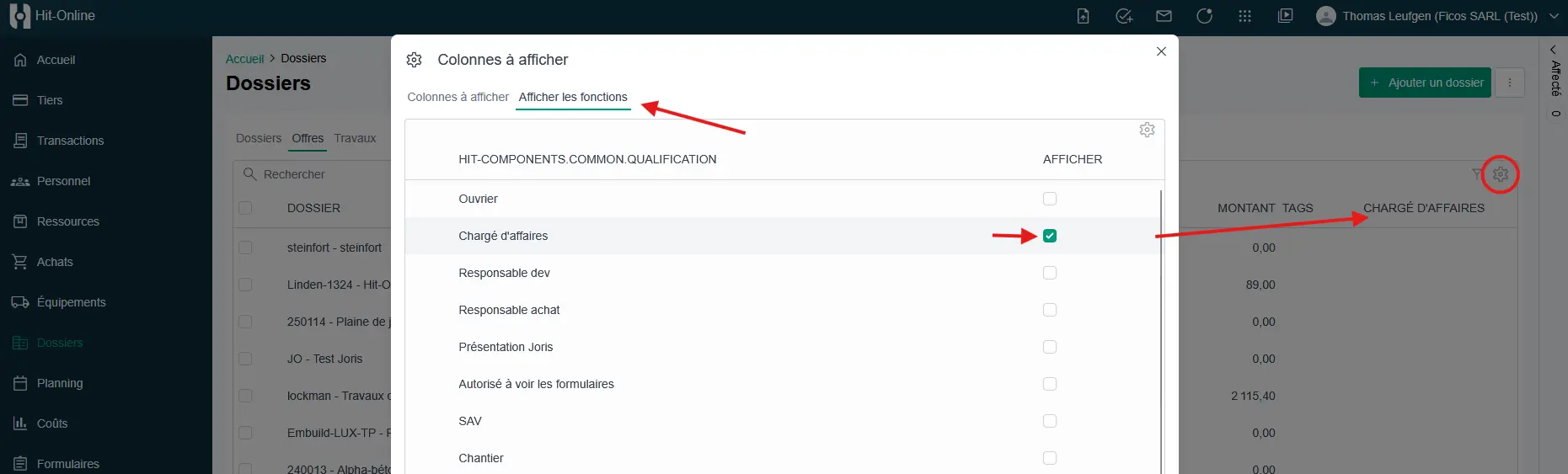
Filter by Functions (Responsible)
For all entities to which functions can be linked, each user can now configure which functions to display and filter directly on this column.
Positions: Import Measurement from Another Position
When editing expressions to define the quantity of a position, it is now possible to import the measurement (métré) from another position (saves time and reduces double entries).
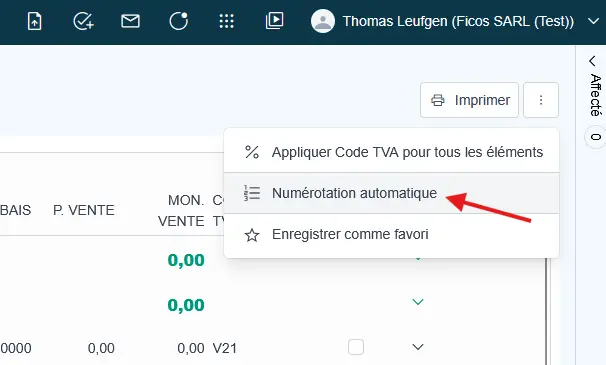
Renumbering Positions
Added two new options as well as several corrections to ensure correct operation across all pages. () To renumber a position, click on the options menu at the top of the quotes window.*
Planning
Daily Planning Improvements
New Features:
- Added “Personnel” column.
- Added an “info” icon allowing direct access to the relevant project section.
- Added “Open Folder” button.
General
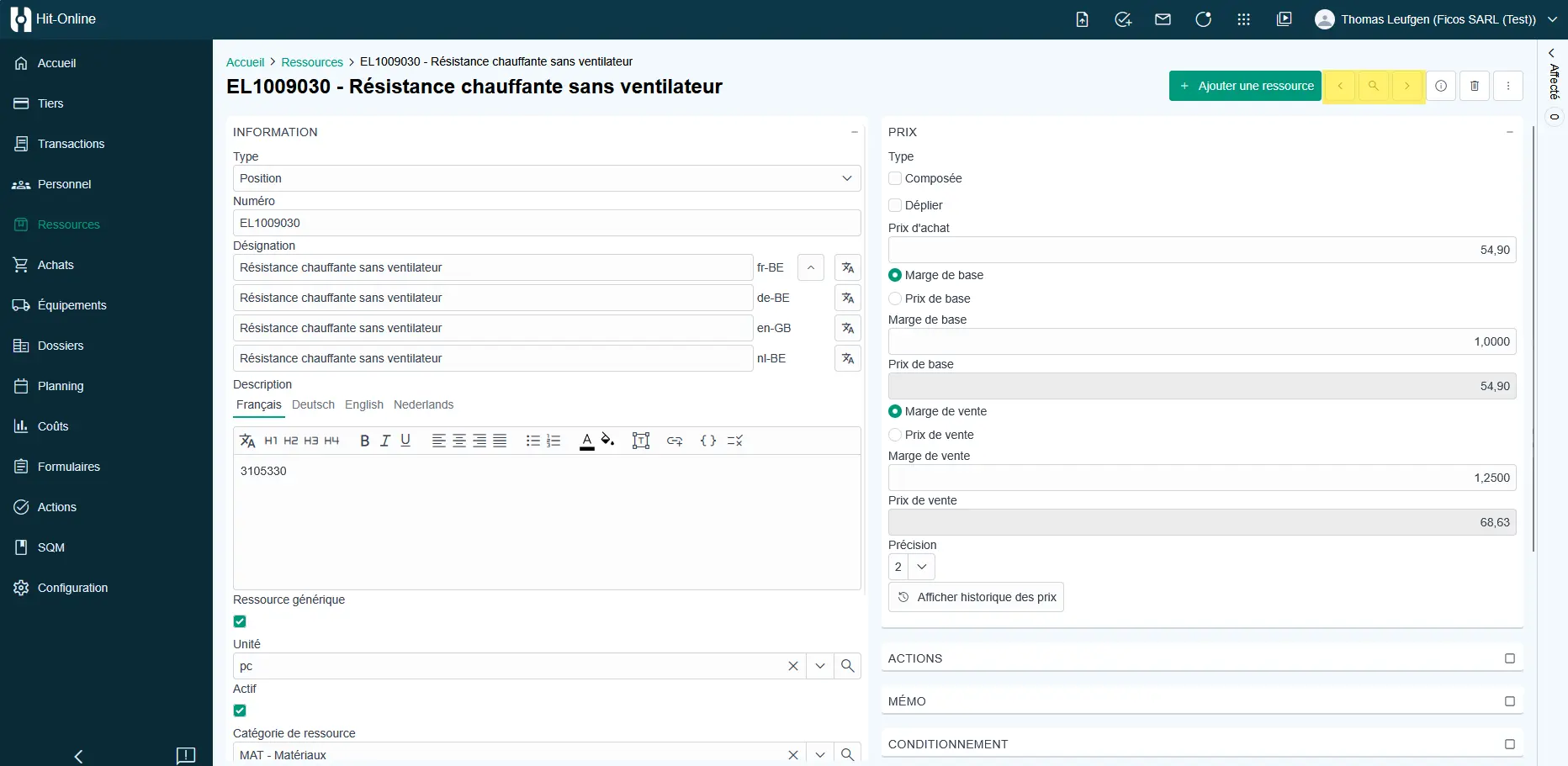
Navigating Within an Entity
Improved navigation allowing for easier movement from one entity to another. How it works: It is now possible to navigate directly from one element to another using the arrows available at the top of the window, avoiding the need to return to the home menu. Benefits:
- Avoids returning to the home menu.
- Faster navigation between elements.
- Time-saving during consultation or editing.
Saving Column Widths per User
Column widths in tables are now saved individually per user. Benefits:
- Interface personalization.
- Preservation of user preferences.
Image Visualization in File Panels
When clicking on a line containing an image, it now opens directly in a preview window. No need to download the file first. Benefits:
- No need to download files.
- Immediate viewing of visual documents.
- Time-saving for users.
Choice of Different Templates in the Layout
In the Configuration – Layout menu, you can choose several printing formats for your sales invoices and quotes.
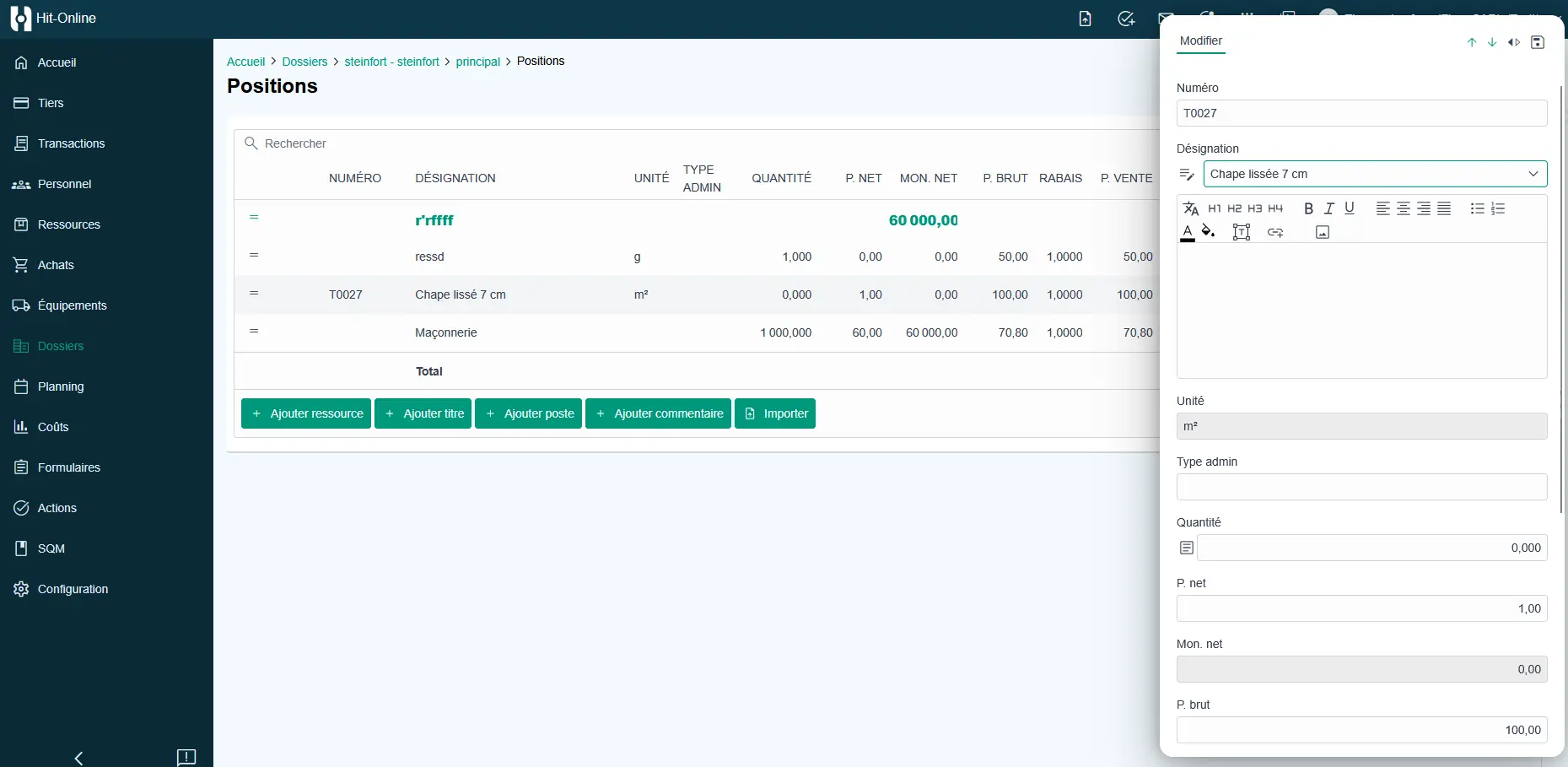
Modified Line Editing Panel
To modify a line, a vertical panel now appears to enter data in a more readable way.
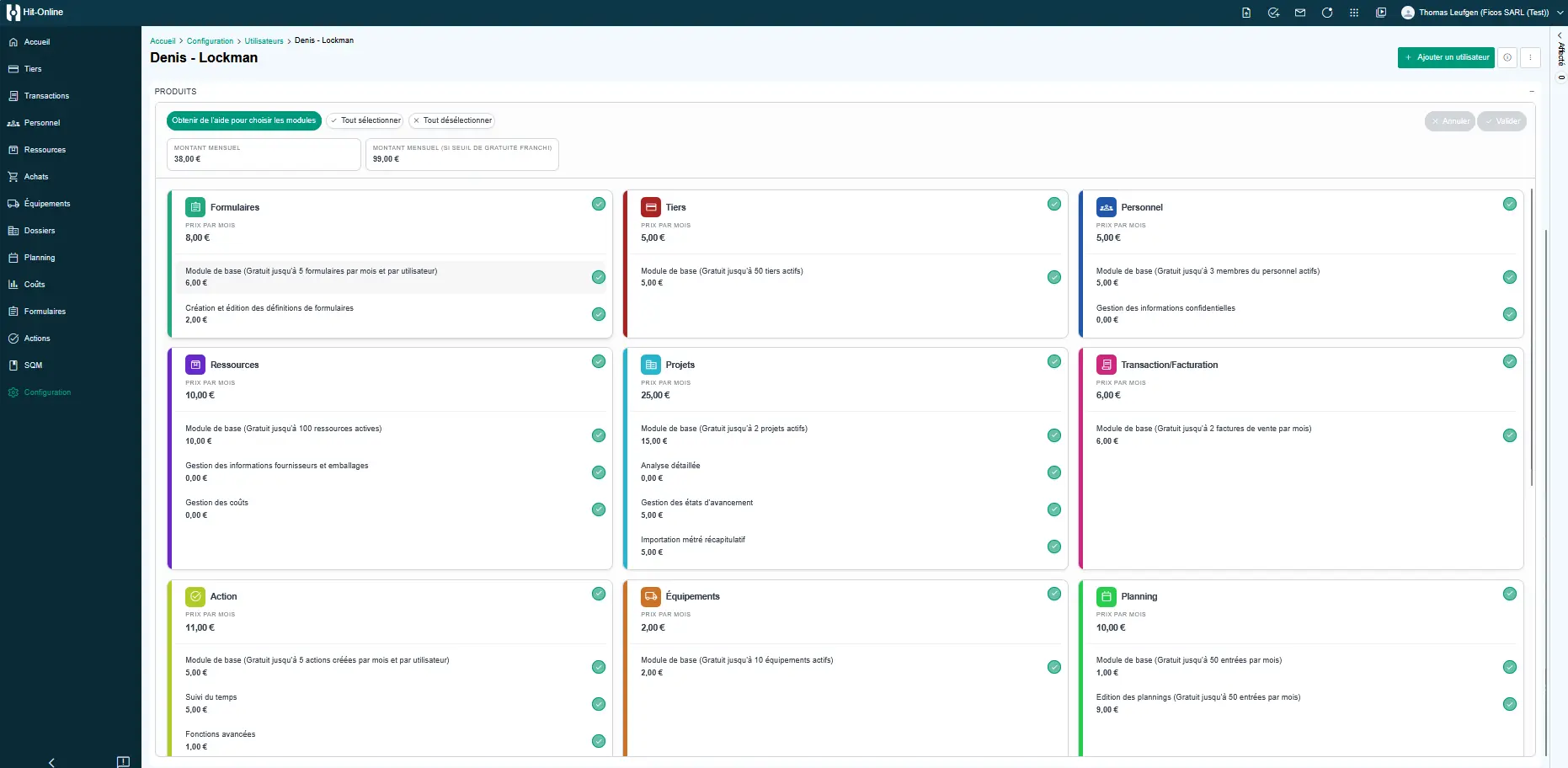
Improved Module List View
Graphic and ergonomic improvement of the module list to offer clearer and more modern navigation. Improvements:
- New visual presentation.
- Easier reading.
- More intuitive navigation.
Favorites Management
Favorites configured in the application are now accessible directly from the left sidebar menu. Before: You had to return to the “Home” page to access favorites. Now: Favorites appear as the first entry in the sidebar menu. How to create a favorite?
- Open the relevant screen (quote, invoice, or project sheet).
- Click on the options menu at the top right.
- Select “Set as favorite”. Benefits:
- Direct access to frequently used screens.
- Reduction of unnecessary navigation.
- Daily time savings.
- Ideal for users working regularly on the same folders.
Filter on Tags
It is now possible to filter specifically for elements without a selected tag. Benefits:
- More flexible search.
- Quick identification of untagged elements.
Improved Excel Data Imports
During an Excel import:
- If the number already exists -> the element is updated.
- Otherwise -> a new record is created. This allows you to easily update existing databases via Excel (e.g., updating resource price lists).
Conclusion
This new version marks an important step in the platform’s evolution, with a particular focus on navigation fluidity, interface personalization, and automation of recurring tasks. Some features are already available in production, while others are currently in the testing phase before their global rollout. As always, these developments have been designed to best meet field requirements and continue improving daily efficiency.