How to choose time tracking software for your construction sites: 7 essential criteria
How to choose time tracking software for your construction sites: 7 essential criteria
The way working hours are recorded is changing across the construction industry. As companies become more digital, seek closer control of site costs and adapt to regulatory developments, more contractors are looking for reliable ways to record their workers’ hours.
Mobile apps, badges, physical time clocks, digital timesheets and systems integrated into management software: there are plenty of options. But how do you choose the one that really suits your business?
Behind a seemingly simple function – recording a start and finish time – lie several challenges: ease of use on site, reliability of information, forgotten clock-ins and clock-outs, administrative work and the ability to use recorded hours to monitor labour costs.
The best time tracking software is not necessarily the one with the most features. It is the one that meets the needs of people on site while making life easier for the office team.
Here are seven essential criteria to consider before making your choice.
1. A time tracking solution your workers will actually use
This is probably the most important criterion, yet it is also one of the most underestimated.
On a construction site, workers need to focus on their jobs. They do not always have time to navigate a complicated app, complete several fields or search for information before recording their hours.
A solution may offer dozens of features. If your teams find it too complicated or regularly forget to use it, the data you collect may be incomplete.
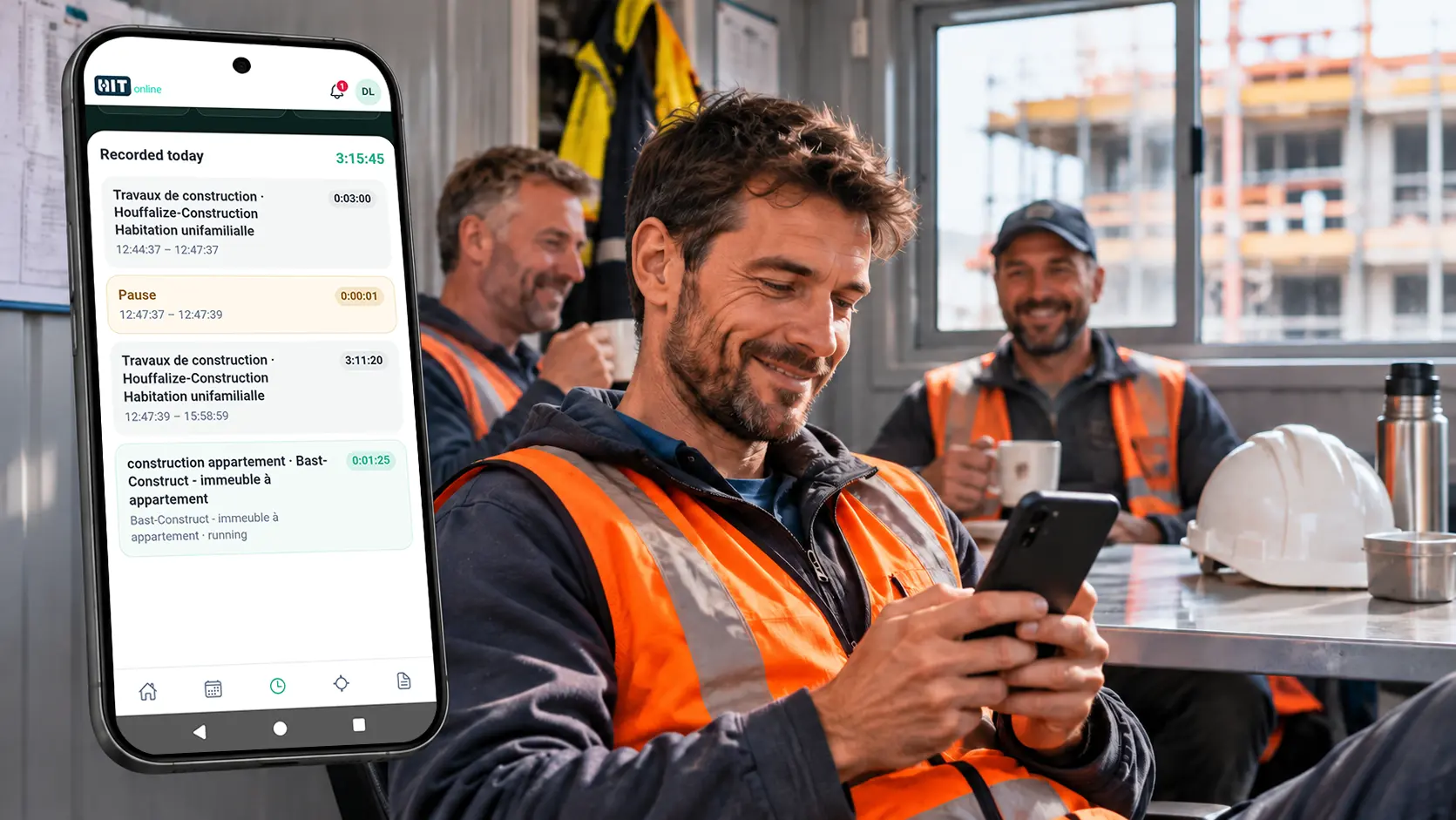
The Start & Stop principle addresses this need for simplicity: workers start tracking when they begin a task and stop when they finish.
However, a simple interface is not enough. You also need to consider actual site conditions. Can a worker quickly identify the site they are working on? How many actions does it take to start recording? Is the app understandable for someone who rarely uses digital tools? What happens when the internet connection is unstable?
The last question deserves particular attention. Mobile coverage may be limited on some sites, especially in basements or remote areas. It is therefore worth checking whether the solution supports offline use or provides another way to handle these situations.
A good time tracking system should adapt to site conditions rather than impose new constraints on workers. Before choosing, ideally ask a few employees with different profiles to test it. Their day-to-day experience will often tell you more than a lengthy sales presentation.
2. Time tracking that fits the way your sites are organised
In a construction company, no two working days are necessarily alike. A worker may spend several days on the same site, make a one-off visit to another project or complete several assignments in a single day.
The software must therefore make it clear which site each set of hours belongs to.
Consider a practical example. A worker begins the day on Site A and works there for five hours. They then move to Site B for a three-hour assignment. A system that records only eight hours for the day provides just part of the picture.
For effective management, it is also important to know that five hours were spent on Site A and three on Site B. This distinction becomes essential when several teams are working on different projects at the same time.
Some companies want to go further and record time by activity, such as earthworks, masonry, technical installation or finishing. This level of detail can make cost analysis easier, but it should remain proportionate to the company’s needs.
The more information workers have to enter, the more burdensome time tracking becomes. The goal is to strike the right balance between simplicity on site and the accuracy of the information available to management.
3. Effective management of missed entries and tracking errors
Even with the simplest app on the market, people will sometimes forget to clock in or out. A worker may forget to start tracking in the morning, leave it running after departing the site or select the wrong project.
These situations are part of everyday work. A time tracking system must be designed to deal with them.
Imagine a worker starts tracking at 7 a.m. but forgets to stop at the end of the day. Without checks, the app could record a shift lasting dozens of hours. Clearly, this must not automatically be treated as time actually worked.
A well-designed solution should help the person in charge identify unusual entries, check the information and make any necessary corrections.
It is also important to know who can change an entry and how those changes are recorded. Keeping a history of corrections is an advantage, especially when several people are involved in approving hours.
The company should be able to distinguish the information originally recorded from any adjustments made afterwards.
Reliable time tracking depends not only on the accuracy of the original entry but also on how errors are detected and corrected. The aim is not to eliminate human involvement. It is to help managers focus on situations that genuinely need their attention.
4. Software that also makes administrative work easier
Switching to digital time tracking is often presented as a way to make life easier for workers. But the benefits can be just as significant for administrative staff.
In many businesses, hours are still submitted on paper, through messages or in Excel files. The office then has to collect the information, check dates, identify the relevant sites and enter the hours into the tools used for workforce or project management.
This process takes time and increases the risk of mistakes.
With a digital time tracking solution, hours can be centralised as soon as they are recorded. But beware: replacing a paper form with a screen does not automatically simplify the process.
If the data then has to be exported, corrected in several files or entered again, some of the time savings disappear.
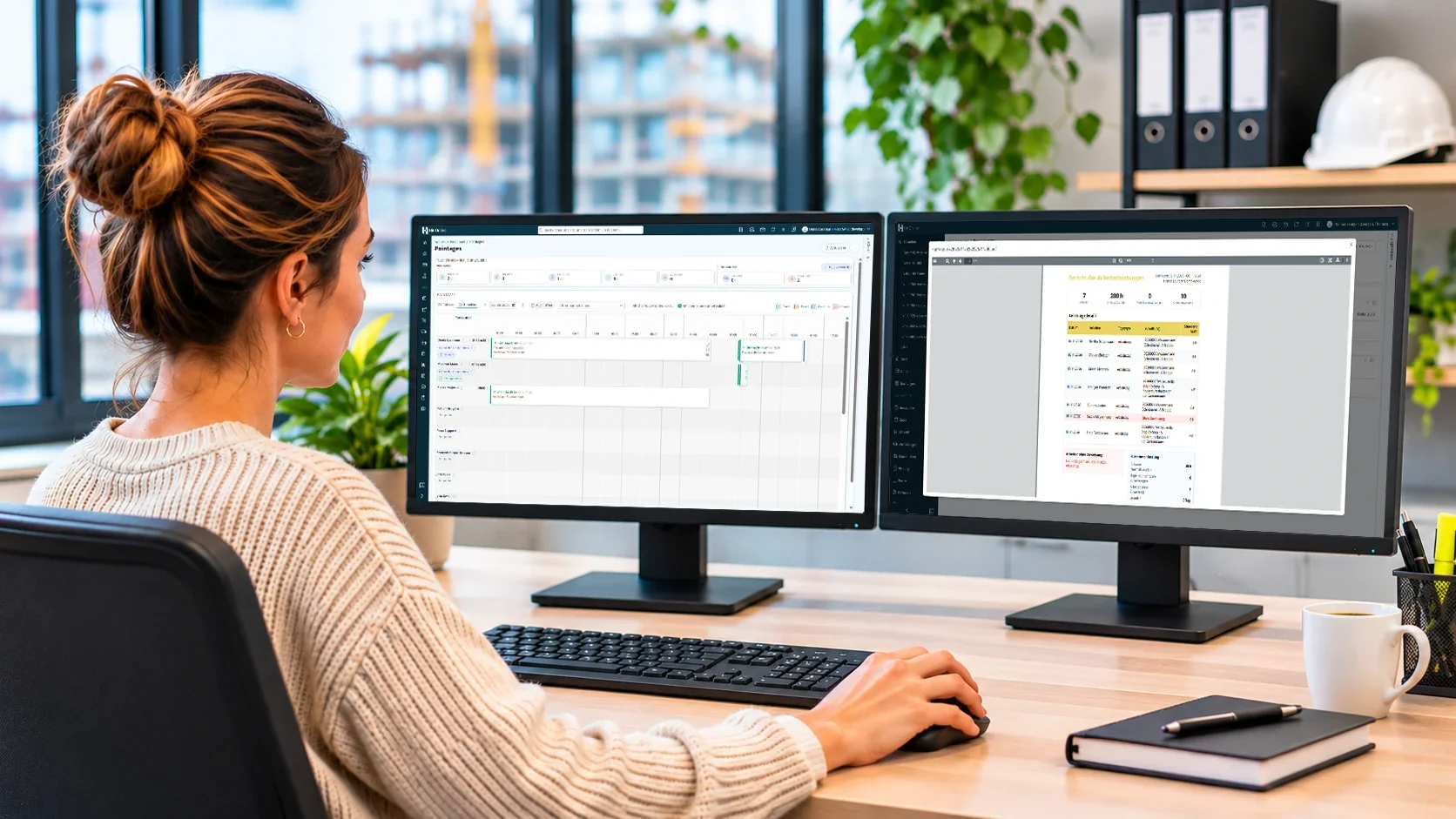
When comparing systems, do not focus only on the interface used by workers. Look at the administrative manager’s tasks too. How are recorded hours viewed? Can missing information be identified quickly? How are hours checked and approved? Can the information be used easily to prepare payroll?
You need to consider the whole process, from recording time on site to having checked hours ready for use in the office. Only then can you assess the real time savings.
5. Using recorded hours to monitor site profitability
Labour accounts for a significant share of construction site costs. Yet many companies still lack a sufficiently accurate view of the hours actually used on each project.
When time tracking software links hours to individual sites, the recorded information becomes much more than a timesheet. It can help monitor costs and analyse profitability.
A practical example: 350 hours used out of 500 planned
Imagine your company has budgeted 500 labour hours for a project.
After a few weeks, the teams have already recorded 350 hours, while the work is only 50% complete. This means 70% of the hours budget has been used for half of the planned progress.
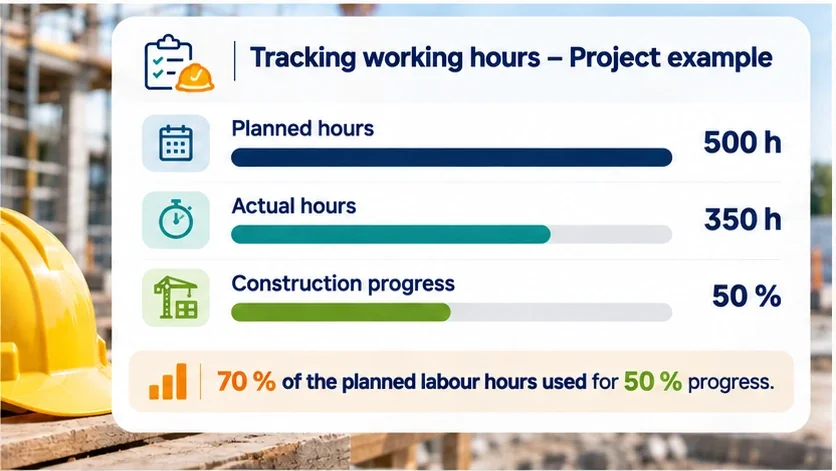
This does not automatically mean the project will make a loss. Some phases naturally require more labour than others. But the difference is worth investigating.
It may be caused by a technical difficulty, additional work, an initial estimate that was too optimistic or a different work organisation from the one originally planned.
With regular access to hours used, the manager can identify discrepancies sooner and take appropriate action. By contrast, if hours are only available at the end of the month, some opportunities to intervene may already have passed.
Time tracking alone cannot calculate profitability
It is important to distinguish between two complementary functions. Time tracking records work performed. Profitability monitoring analyses its cost and compares it with forecasts.
To determine the actual profitability of a site, you must also account for hourly costs, materials, subcontracting, equipment, overheads and invoiced amounts.
Time tracking software does not necessarily need to include all these functions. However, it is worth checking whether the recorded hours can be reused in your construction management software without entering them a second time.
This is where an integrated solution can offer an important advantage: the same data can support several stages of business management.
6. A solution compatible with regulatory requirements
Legal obligations are another selection criterion, although they vary by country and activity.
In Belgium, certain construction sites are already subject to attendance registration requirements through the Checkinatwork system of the NSSO. The move towards Check-In-And-Out-At-Work (CIaO), which involves recording arrivals and departures on the sites concerned, reinforces the importance of a structured tracking process.
However, two concepts must be distinguished.
Working time tracking allows a company to record its employees’ hours, particularly for payroll preparation and cost monitoring.
Statutory attendance registration meets specific obligations set by the relevant authorities.
The two processes may use some of the same information, but they are not automatically equivalent. An app that records start and finish times does not, by itself, guarantee compliance with every legal requirement.
Before choosing a solution, check which compliance features are available, whether it integrates with official systems and which responsibilities remain with your company.
Businesses operating in several countries must also take account of differences between national regulations.
For Belgium, our article on Check-In-And-Out-At-Work in construction explains the background and practical implications.
Good software should help you meet your current obligations while being able to evolve as regulations change.
7. A cost that fits your current and future needs
Price is naturally an important factor, particularly if your company employs several dozen workers.
Some solutions charge per user, others per company or according to the features enabled. But comparing monthly subscription fees alone is not enough.
You should also look at possible setup fees, correction and approval options, access to historical records, data exports and the price of additional modules.
Take a company with 25 workers. An app costing €5 per user per month represents €1,500 per year, excluding any additional charges.
If headcount increases or certain features become chargeable, the total cost can change considerably.
Conversely, a more comprehensive solution may be worthwhile if it eliminates several administrative steps and lets the same data be reused for project monitoring.
It therefore makes sense to consider the total cost of use, rather than just the advertised price.
A small business that simply wants to replace paper timesheets does not necessarily need to invest immediately in a complete management system. However, it may benefit from choosing a solution that can support future growth.
The right choice depends as much on your current needs as on your company’s future goals.
Conclusion: choose something simple today without limiting tomorrow’s options
Choosing construction site time tracking software should not come down to comparing screens or lists of features.
The first priority is a system that workers will use easily and consistently. Next come reliable information, the handling of missed entries, administrative checks and accurate allocation of hours to different sites.
Finally, consider what your business wants to do with this data: prepare payroll, monitor labour costs, compare planned and actual hours or gain a clearer understanding of project profitability.
A good time tracking system must work on site first. Only then can it become a genuine management tool.
Ready to switch to digital time tracking with Hit-Online?
Are you looking for a simple way to record your workers’ hours directly on site without adding administrative tasks?
With Hit-Online, your teams can use Start & Stop time tracking and assign their hours to the relevant sites without filling out paper timesheets.
Recorded hours can then be used within Hit-Online to monitor work performed and, with the appropriate modules, to analyse costs and project profitability.
The time tracking feature is free for life for all existing customers and new customers who create an account before 31 March 2027.
This offer applies only to the time tracking feature. Additional planning, management and profitability monitoring modules are separate.
Want to simplify time tracking for your teams? Create your free Hit-Online account and discover digital time tracking for your construction sites.
Simplify time tracking for your teams with Hit-Online.
Discover Start & Stop time tracking and centralise your workers’ hours. The time tracking feature is free for life for existing customers and new customers who register before 31 March 2027.