Release Notes – Hit-Online | June 2026
Invoicing & PEPPOL
Securing the Entry of Negative Amounts
In order to comply with PEPPOL validation rules, it is no longer possible to send invoices containing a negative unit price.
When a user enters a negative amount, Hit-Online automatically adjusts the document by converting the amount into a negative quantity and displays an explanatory warning. This automation prevents rejections during the electronic transmission of documents.
Benefits:
- Reduction in PEPPOL sending errors
- Automatic compliance with validation rules
- Fewer support interventions
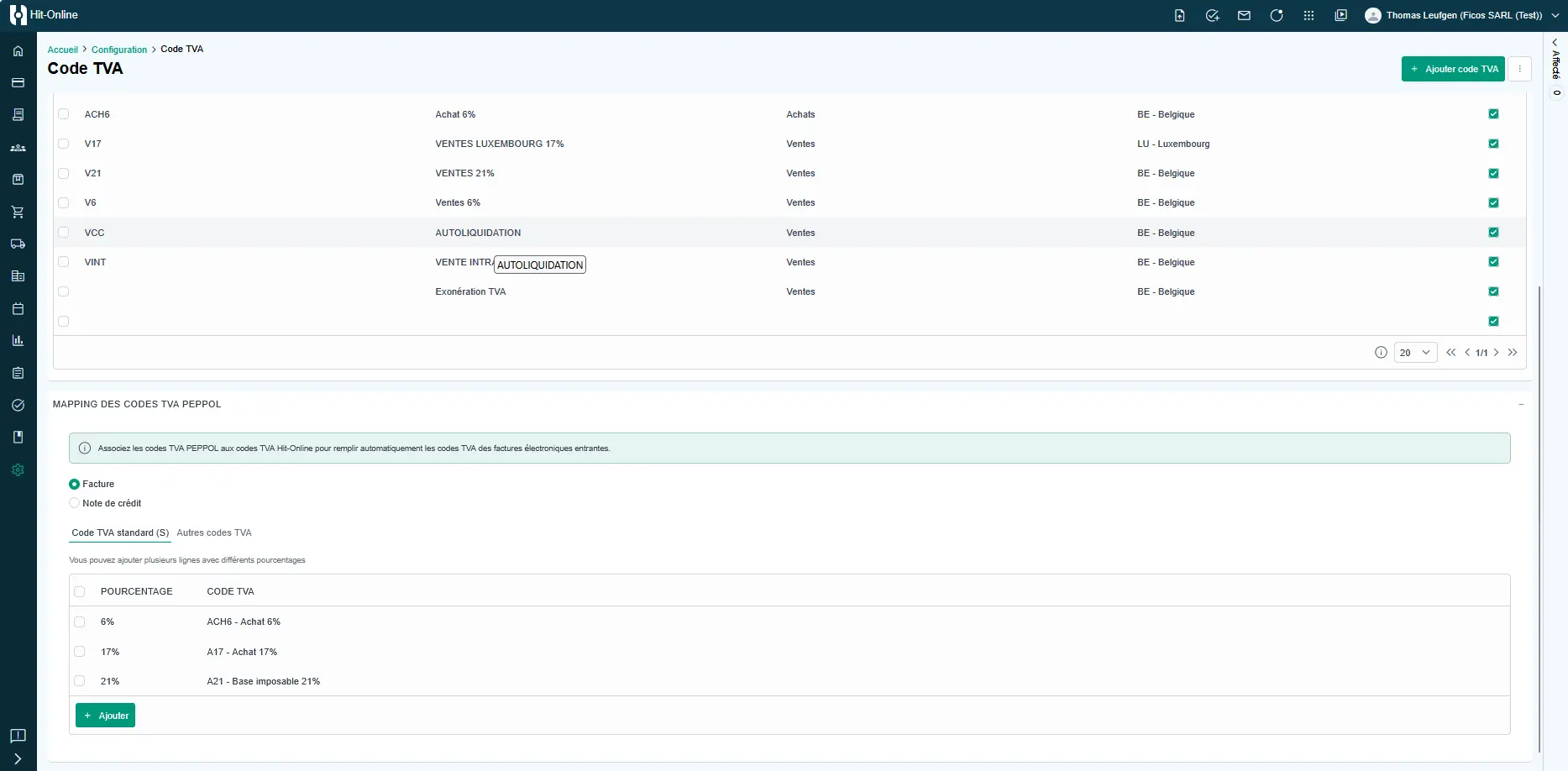
Simplifying PEPPOL VAT Code Mapping
The selection of VAT codes has been revised to limit configuration errors:
- Standard VAT codes now only offer rates above 0%.
- Other codes exclusively group 0% rates.
This mapping is managed in the Configuration | VAT Code menu.
Benefits:
- More intuitive selection
- Reduction in coding errors
- Enhanced compliance with PEPPOL standards
Transferring Invoices to Accounting
Overhaul of the Accounting Export Process
The mechanism for exporting invoices to accounting has been completely redesigned to improve its reliability and traceability.
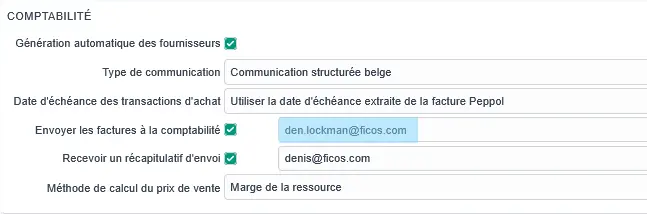
Configuration is managed in the Configuration | General | Accounting Tab menu.
In Practice
You can set a default email address to send all invoices to the accountant’s software.
Fill in the field “Send invoices to accounting”.
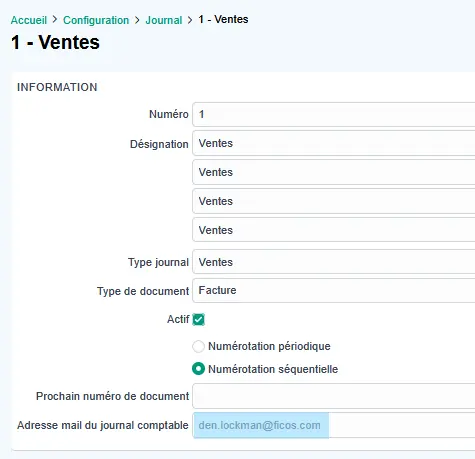
If the accountant’s software accepts a specific email address per journal, go to Configuration → Journals and enter the email address in the “Accounting journal email address” field.
Optimized Workflow
The process for sending documents to accounting has been enhanced to achieve greater reliability and automation.
- Documents are now sent in a logical order to facilitate processing.
- Invoices pending submission via PEPPOL are automatically placed on hold until their transmission is finalized.
- For purchase invoices, the system automatically transmits the most relevant document: the XML file when available, otherwise the PDF.
- Detected anomalies (errors, warnings, or pending documents) are automatically re-examined during subsequent runs.
An email summary is sent detailing the processing status of the submissions.
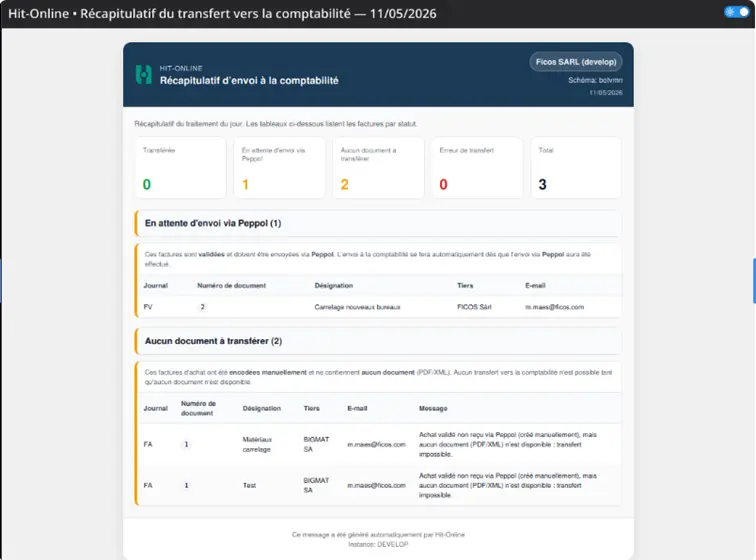
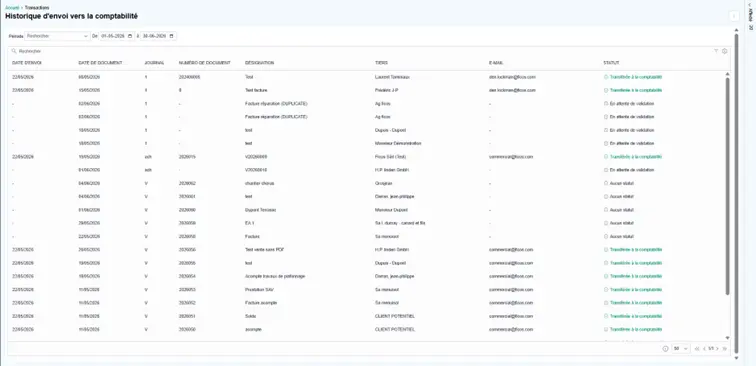
New Accounting Transfer History View
A new history view allows you to easily review completed transfers to accounting, with automatic filtering applied to the current period.
Benefits:
- Better visibility of data exchanges
- Simplified tracking of errors
- Facilitated auditing
This feature is available from the Hit-Online Transaction menu via the menu at the top right of the screen.

Interface & Ergonomics
Improved Multi-Tab Session Management
The management of logins, logouts, and company switches has been revised to provide a smoother and more consistent experience when multiple tabs are open simultaneously.
From now on, logging out in one tab automatically applies to all other open windows. Similarly, during a company switch, all tabs automatically synchronize to display the same active company.
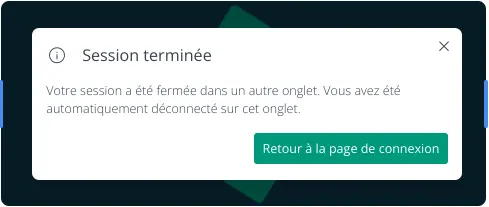
This improvement is particularly useful for users who work with multiple companies daily and navigate between different screens opened in parallel.
Benefits:
- Better consistency across tabs
- Reduced risk of errors related to company changes
- Smoother and more predictable user experience
- Simplified management for multi-company users
Quotes & Communication
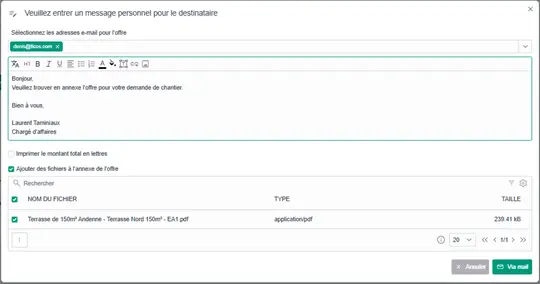
Adding Attachments When Sending a Quote
It is now possible to add one or more PDF attachments when sending a quote directly from Hit-Online.
As a reminder, you can add files to a quote via the file panel.
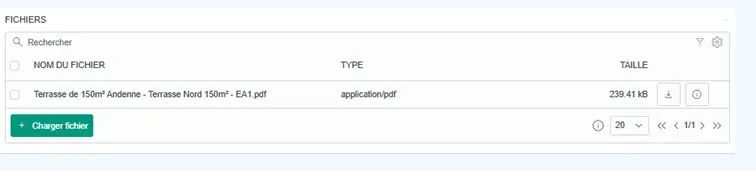
If PDF files are present in this section, clicking the email send button gives you the option to select the attachments to include directly with the email.
General Configuration
New Keyboard Shortcuts
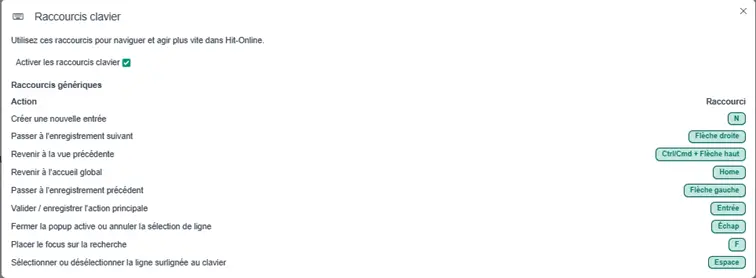
A major advancement has been made to Hit-Online’s ergonomics with the introduction of a comprehensive keyboard shortcut system.
This feature allows you to quickly execute the most common actions without using the mouse, providing smoother navigation and significant time savings for intensive users of the platform.
The shortcuts gradually cover the application’s primary operations and establish an important foundation for improving daily productivity.
Benefits:
- Time savings on repetitive tasks
- Faster navigation within the application
- Reduced mouse usage
- Higher productivity for advanced users
- Modernized and more efficient user experience
Find the list of keyboard shortcuts in the Hit-Online home menu.
Introduction of Custom Tags
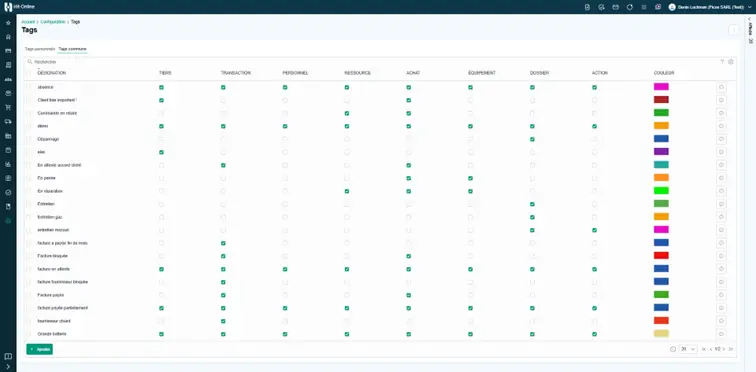
Tags allow you to better organize and quickly retrieve information in Hit-Online. They can be used to categorize files, clients, documents, or work items based on your own business criteria.
Global Tags
- Created and managed by administrators.
- Available to all users within the company.
- Ideal for establishing a shared classification system.
Personal Tags
- Freely created by each individual user.
- Visible only to their creator.
- Can be converted into global tags later if their usage becomes relevant for the whole team.
Benefits:
- More flexible data organization
- Classification tailored to the needs of each user
- Facilitated standardization of internal processes
- More efficient information search and tracking
Print Configuration Improvements
Print settings have been enriched with:
- A clear distinction between standard reports and customized reports.
- Independent orientation management (portrait/landscape) for different print layouts.
Reporting & Analysis
First Purchases/Sales Analysis Report
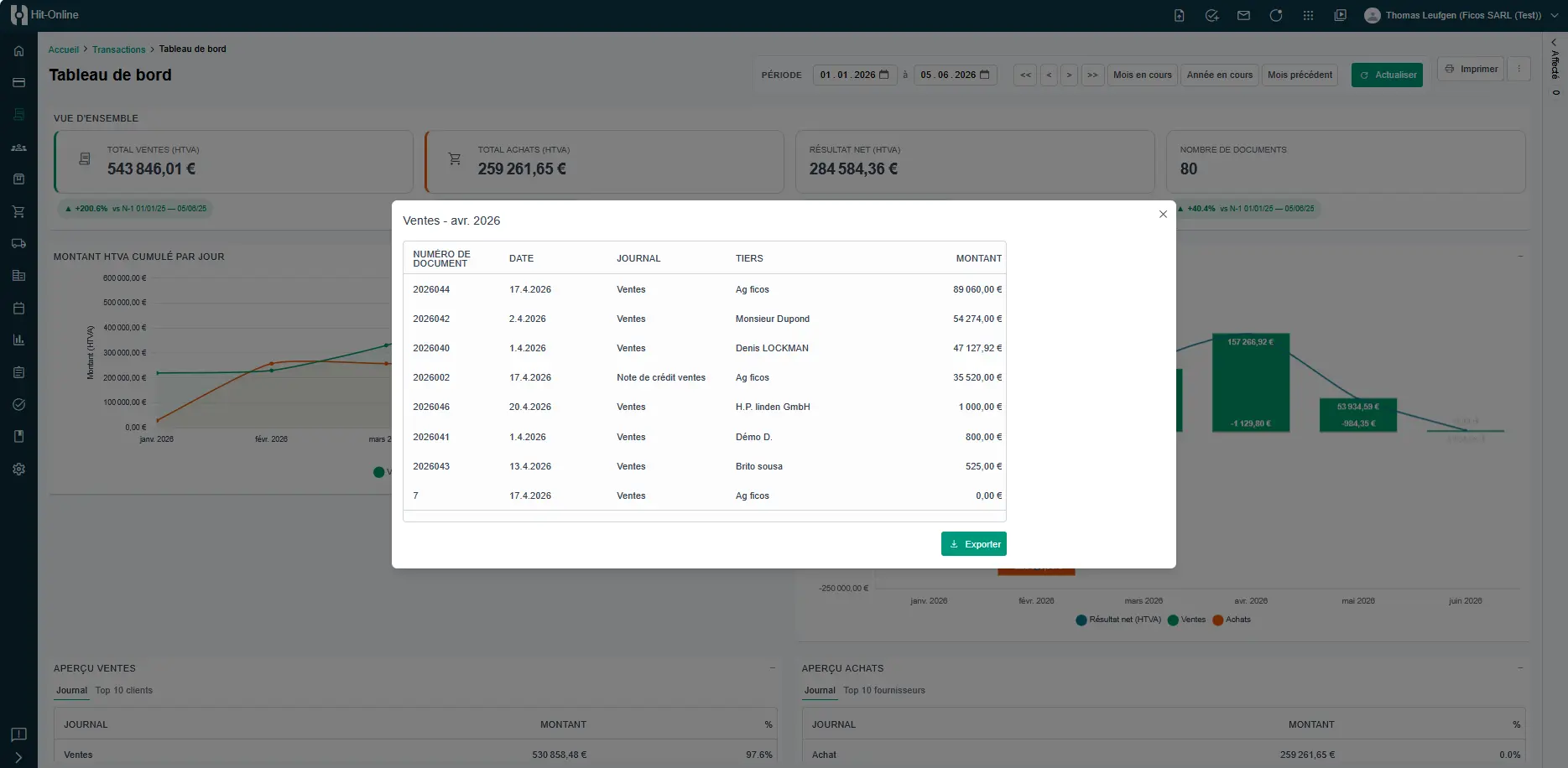
The dashboard now integrates new analysis reports that offer better visibility into business activities:
- Purchases summary
- Sales summary
These reports display totals by client or supplier and serve as an initial basis for more advanced analysis (charts, key metrics, comparisons).
From the dashboard, a print option also allows exporting the list of clients and suppliers for a defined period.
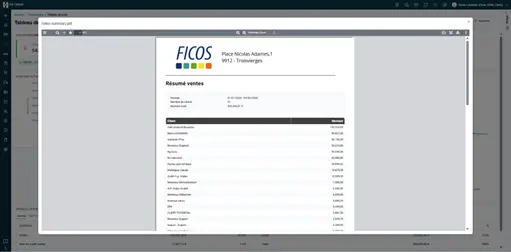
Finally, the dashboard has been enhanced with advanced interactions: clicking on a value allows direct access to the corresponding details on screen, with the option to export data to Excel.
Improved Readability of Check-in@Work History
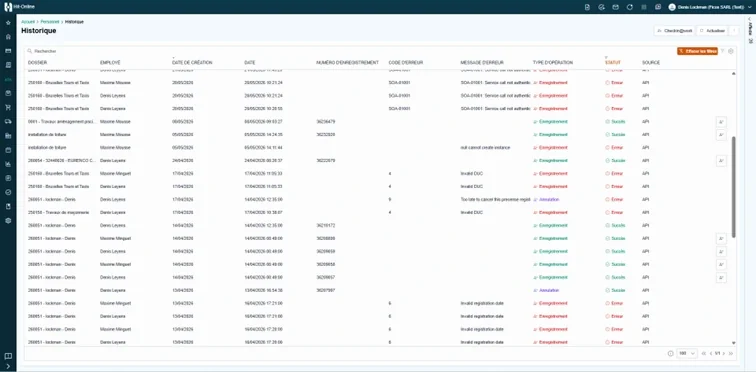
The Check-in@Work attendance declaration history has been improved to make reviewing data clearer and faster.
Lines are now displayed with color codes based on their status, allowing immediate identification of declaration states.
A quick-refresh button has also been added to facilitate data updates.
Access this menu via the Personnel | Check-in@Work module.
Benefits:
- Faster and more intuitive reading of history
- Immediate status identification thanks to color coding
- Simplified tracking of attendance declarations
- Data refresh with a single click
Custom Developments
Hit-Online now offers more customization options to adapt the application to the specific needs of each company, in collaboration with your implementation partner.
Customized Reports
It is now possible to integrate tailor-made reports via:
- A Jinja file added to the configuration.
- Activation through advanced settings.
This approach allows for the easy deployment of documents adapted to your internal processes.
Custom Panels
A new custom panel system allows adding dedicated interfaces for specific business needs directly inside the application.
Download Actions via Custom Buttons
Custom buttons can now trigger direct file downloads. This functionality is already being used in certain modules, such as exporting personnel hours.
Module Usage Tracking
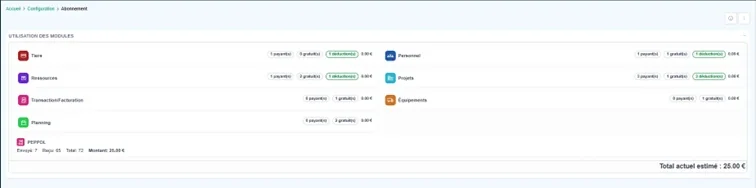
A new administration screen allows analyzing the usage of different modules across the platform.
Benefits:
- Better license management
- Analysis of feature adoption
- Support for decision-making
See it for yourself - in 30 minutes
We show you Hit-Online live - tailored to your trade and your situation. No sales pitch, no pressure. Just an honest demo so you can see whether Hit-Online is the right fit for your business.